Top rated 10 AI Tools for Graphic Designers (2025)
10 AI Tools for Graphic Designers 2025: Are you looking for the Best AI tool for Graphic design? Here, you are at the right place to find the best AI tools for graphic design. It offers a free tool and a premium version that costs less than other apps.
What is an AI Graphic Design Tool?
Top-rated 10 AI Tools for Graphic Designers (2025)
These 10 AI Tools for Graphic Designers 2025 are perfect for speeding up design workflows, editing images, generating ideas, and boosting creativity:
1. Canva Magic Studio
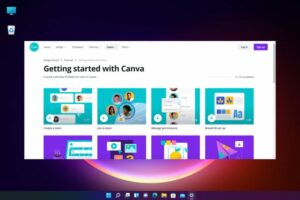
Use: Graphic design, social media posts, presentations
AI Features: Text-to-Image, AI Writer, Magic Design,
Why It’s Great: Easy dragging, AI Magic Design, and multiple beautiful designs for beginners
Advanced Tools
Creator can create Canva Sheets, Magic Charts, and Canva Code and more interactive design workflows. This makes it easier to collaborate, visualize information, and bring ideas to life through smart and connected tools. Magic Resize, Background Generator, AI Voice, Mock-ups, Enhance Voice, Highlights for video editing.
Pros and Cons
Pros:
This is Beginner-friendly with inbuilt UI and a one‑platform experience
wide range: layouts, image/video creation, copywriting, editing.
Real-time collaboration features support teams effectively, reliable safety measures, including Canva Shield, strong data privacy protections, and fair compensation for creators
Cons:
(images/videos) may exhibit quirks or Warp. Some features (Magic Edit, Media) can be Inaccessible depending on the file format. Less accuracy than specialty platforms like Adobe Firefly.
Dependence on internet connectivity. click here to download: https://www.canva.com/
2. Adobe Firefly (Generative AI)
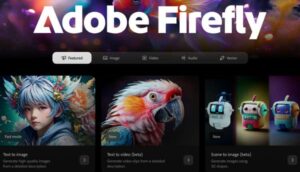
Use: Adding special text styles, making pictures with AI, and removing backgrounds,
Combined With: Illustrator, Adobe Express, Photoshop
Pros and Cons
Pros:
User friendly, IP-trained
Seamless workflow across desktop & mobile
Multiple AI models available in one hub
Cons:
Video is still early beta—quality varies
Credit-based pricing may not be clearly explained
Some interface quirks, occasional bugs.
3. Midjourney
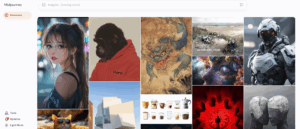
Use: a powerful AI-generated art from text prompts
Style: Unique, surreal, artistic visuals
Pros and Cons
Pros
It has high accuracy and a speedy render
Best For: creative inspiration, Concept artists, branding designers, jewelry designers
Cons
No free trial version available
Video-generating features are limited. click here to download: https://www.midjourney.com/
4. Figma
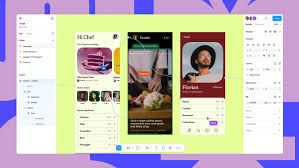 Use: Prototyping, UI/UX design, wireframes
AI Plugins: GPT Design Assistant, Magician, Wireframe AI
Why It’s Powerful: It has faster prototyping. (Collaborate + design + AI suggestions)
Pros and Cons
Pros:
This can lead to reduced errors, increased efficiency, and improved employee well-being.
Prompts spark ideas and quick visuals without leaving Figma.
Code plugins bridge the gap between design and development.
Cons:
content/plugins may be inconsistent and require filtration.
Managing many plugins can slow down the functioning and disturb the UI.
Some require credits, get paid, or need subscriptions.
organize, generating, and integrating take time to master. click here to download: https://www.figma.com/
5. Remove.bg / Cleanup. Pictures
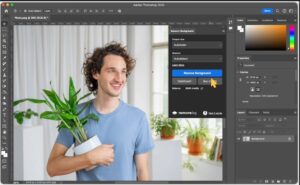
Use: It can remove background and objects in seconds.
Why Designers Love It: It is best for images refining and saves time in editing.
Pros:
Instant Background Removal: Removes image backgrounds in 1 click using advanced AI.
High Accuracy: Handles hair, fine edges, and transparent objects well.
Easy to Use: Easy upload and download there is no design skills required.
API Available: Best for e-commerce platforms, developers or bulk removal, .
Plugin Support: Works with Photoshop, Shopify, Figma, and Zapier.
Cons:
Low-Res Output (Free): Lower quality images in free version.
For HD results you have to pay monthly.
You can’t erase objects, retouch, or fix backgrounds directly. click here to download: https://cleanup.pictures/ and https://www.remove.bg/
6. Looka
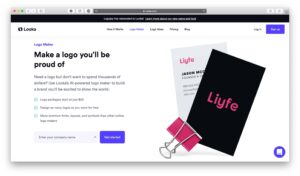 Use: Logo and brand kit creation with AI
Best For: Quick branding solutions, Freelancers, startups.
Makes business cards, social media kits, and more.
Pros
Easy and Fast Logo Creation
Intuitive & Beginner-Friendly Interface
AI Design Rules and Strong Customization
Unlimited Revisions and Full Branding Ecosystem
Commercial Usage Rights
Cons
Low‑Res Only with Basic Plan
Generic/Overused Designs.
Limited Customization Post-Purchase (Basic)
Subscription Cost for Brand Kit & Web and Support & refund problems
7. Runway ML
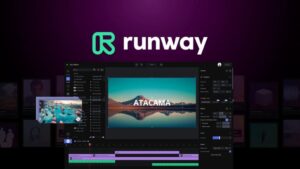 Use: Background removal, Video editing, AI animation
Design Use: motion graphics, storyboarding, creative assets
AI Magic: Text-to-video, AI rotoscoping, real-time edits
Pros:
Powerful AI Video Generation
Creative Industry support
Research-Driven Evolution, Dynamic
Open Platform & APIs
Free Tier & Educational action
Cons:
Inconsistent/video quality & prompt cling
Performance degradation over time & credit issues
Pricing and value, Content and legal concerns
8. Khroma
 Use: AI-powered color palette generator
Great For: Creating beautiful, brand-aligned color schemes
Why It Helps: Learns your style and gives smart palette suggestions
Pros:
Personalized Palette Generation
Free to Use
Search & Filter Tools
Save and Reuse.
Figma Integration
Designer-Approved
Cons:
Safari/iOS Support Issues.
Limited Pro-Level Features
9. DALL·E (OpenAI)
 Use: Text-to-image generation and inpainting
Creative Control: Add/replace image elements directly
Best For: Concept visuals, ad creatives, variations
Pros:
High-Quality Image Generation
Inpainting & Editing (DALL·E 3)
Integrated in ChatGPT
Style Consistency
Safe & Moderated
Cons:
Limited Image Size
Inconsistent Details
Prompt Sensitivity
No Real-Time Video Generation
Limited Free access
10. Designs.ai
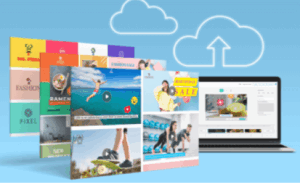 Use: Logo making, videos editing, voiceovers, banners, social posts.
All-in-One AI Suite: This is ideal for freelancers (solo designers or small teams)
Smart templates and AI suggestions saves time.
Pros:
Broad All‑in‑one Suite
Beginner-Friendly UI and Time & Asset Efficiency
skillful Content Creation and Integrated Brand Tools
Free trial access to core tools. ( its limited )
Cons:
Pricing & Value Concerns and Customer Service & Billing Issues
Basic Quality for Advanced Use and Feature Polishing & Speed
It requires Web Access.
also read : https://www.zirakpurhelp.com/what-is-cloud-gaming/
Conclusion:
AI tools have become essential to graphic design, offering features from UI/UX design, photo editing, logo making video editing and so on.. Canva, Adobe Firefly, Midjourney, Figma and all I mentioned above are the top rated AI Tools for Graphic Designers that assist designers with tasks like background removal, color palette generation, and font pairing, streamlining the design process and enhancing creativity.